How to Build an AI Agent-Friendly Website: Google's Official Playbook Explained
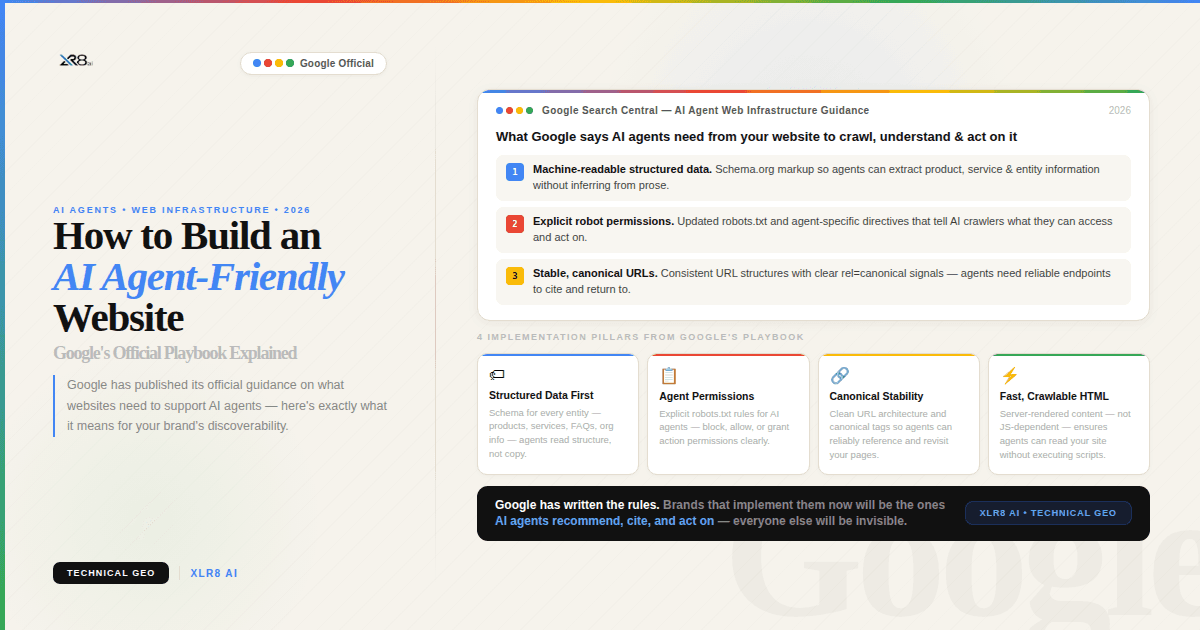
Google has officially published a guide on web.dev titled "Build agent-friendly websites", and if you're serious about GEO (Generative Engine Optimization) and getting your brand recommended by AI models, this is required reading. It's not a rumor or a theory. It's Google telling you — in plain terms — how AI agents interact with your site, and what you need to change.
Here's everything you need to know, plus why it matters far beyond technical SEO.
The New Visitor You're Not Designing For
There's a quiet shift happening in how people use the web. Instead of opening a browser and navigating manually, users are increasingly delegating entire journeys to AI agents. They're saying things like "book me a flight to London under £400" or "find me the best email marketing tool for a 10-person startup" — and an AI agent handles the entire task: searching, evaluating, clicking, and completing.
Those agents visit your website. They read it. They try to use it. And if your site isn't built for them, they give up — and recommend a competitor whose site they could navigate.
The problem, as Google's team puts it: "Many of our websites are designed to be beautiful for humans, with complex hover-states, shifting layouts, and fluid motion. This is functionally broken for agents."
Let that sink in. The things we've spent years optimizing — animations, hover effects, dynamic layouts — may actively be hurting our AI visibility.
How AI Agents Actually See Your Website
Before we get to fixes, you need to understand how agents perceive your site. They're not reading it the way you do. They use three primary methods — and often combine all three.
1. Screenshots
The agent takes a snapshot of your rendered page and feeds it into a vision model to identify what's what. This means visual cues genuinely matter to agents: color, size, spacing, and proximity all signal importance.
Google gives a vivid example: "A big Delete button will likely be interpreted with more caution than a small Help link."
Agents read visual hierarchy the same way humans do intuitively — they just do it through a model rather than a brain. But screenshots are slow and expensive (in AI token terms), so agents typically use them as a fallback when the underlying structure is unclear. Which means your HTML and accessibility tree do most of the heavy lifting.
2. Raw HTML
The agent parses your DOM directly. It understands element nesting, hierarchy, IDs, classes, and how elements relate to each other. If a "Buy Now" button sits inside a product container, the agent correctly infers that button belongs to that specific product — not the page in general.
Clean, well-structured HTML isn't just good practice. For AI agents, it's the difference between a navigable product page and an unintelligible blob of markup.
3. The Accessibility Tree
This is the one most people miss — and it might be the most important.
The accessibility tree is a browser-native API that distills your DOM into its most essential elements: the roles, names, and states of interactive components. It's what screen readers use to help visually impaired users navigate. For AI agents, it functions as a high-fidelity map of your entire site stripped of all CSS noise.
Google describes it as the agent's way of learning "the functional intent of every toggle, slider, and input field."
If your accessibility tree is messy — missing roles, unlabelled inputs, nameless buttons — agents are flying blind.
4. Combined Modalities
Modern agents don't pick just one approach. They combine all three: using the accessibility tree and DOM for clean structured data, then cross-referencing with a screenshot to understand visual layout, grouping, and cues.
This is why fixing just one layer isn't enough. Our job is to provide clean signals across all channels.
Google's Official Recommendations: What to Fix
Here is Google's exact guidance from the web.dev article, explained for marketers and site owners:
Make all actions visible in the interface
If an action is only triggered by JavaScript on scroll, or hidden behind a hover state, agents may never find it. Every important action — "Add to Cart", "Book a Demo", "Sign Up" — needs to be clearly present in the rendered interface at all times.
Stabilize your layout
This one is critical for any site with dynamic content. Agents that use screenshots get confused when your layout shifts after load. If your "Add to Cart" button appears in a different position on each product category page, the agent sees inconsistency and hesitates.
This includes:
Elements that shift after JavaScript loads
Cookie banners that push content down
Sticky headers that change height on scroll
Content that reflows based on screen width unpredictably
Stable = trustworthy to an agent.
Eliminate ghost elements and transparent overlays
Any element that visually covers an interactive component — even if it appears transparent — can cause agents to discard the node entirely during visual analysis. Clean up overlays, modal backdrops, and z-index stacking issues.
Use semantic, actionable HTML
This is the single most actionable item on the list. Google is explicit:
"Prefer
<button>and<a>tags over modified<div>and<span>elements. Agents recognize these as interactive."
Every time a developer builds a clickable <div> instead of a <button>, they're creating ambiguity for agents. The agent sees a box, not an action.
If you genuinely can't use semantic HTML, at minimum add the appropriate role and tabindex:
But <button>Get Started</button> is always better.
Set cursor: pointer in CSS
Google specifically calls this out as "a strong signal for actionability." It sounds minor, but it's a cross-modal cue: the visual screenshot analysis recognizes pointer cursors as interactive signals.
If interactive elements across your site are missing this, add it.
Label your form inputs properly
Use the for attribute on <label> tags to explicitly link them to their input fields:
This tells agents the purpose of a field. Without it, they're guessing what "the input box" is for.
Make interactive elements large enough to find
Any interactive element with a visible area smaller than 8 square pixels risks being filtered out entirely by agent visual analysis. Buttons, links, and form fields all need to be physically large enough to register.
Why This Matters for GEO and LLM Visibility
You might be thinking: this sounds like an accessibility audit, not a marketing strategy. And you're right that many of these principles overlap. But here's the GEO angle that makes this genuinely urgent:
AI agents that can navigate your site confidently are far more likely to recommend it.
When a user asks ChatGPT, Perplexity, or Google's AI Mode to find a tool, book a service, or compare options, the models increasingly rely on agent-based browsing to gather up-to-date information. A site that agents can traverse cleanly — with stable layouts, semantic HTML, and a readable accessibility tree — provides better data for the model's response.
A site that's confusing to agents? The model either skips it or returns a low-confidence result. Your competitor, with a cleaner site, gets recommended instead.
This is the intersection of GEO (being recommended in AI-generated answers) and technical site quality. Google has made it explicit. Now it's a ranking signal for AI visibility.
The Bigger Picture: Google Is All-In on Agents
The timing of this article is not a coincidence. In the weeks leading up to Google I/O 2026:
Google's CEO described the future of Google as an "agent manager"
WebMCP was announced — a proposed web standard to help websites interact directly with AI agents
Google AI Mode continues to integrate new action-based features
And now, this: an official guide telling developers exactly how to make their sites agent-ready
This isn't a fringe topic in the accessibility community anymore. It's a core signal for where search — and AI — is headed.
Your GEO Action Checklist
Use this as a quick audit for your site:
Audit your Accessibility Tree in Chrome DevTools (DevTools → Accessibility → Enable full-page accessibility tree)
Replace interactive
<div>and<span>elements with proper<button>and<a>tagsAdd
cursor: pointerto all clickable elementsFix layout instability — especially elements that shift after page load
Label all form inputs with
<label for="">attributesRemove or fix transparent overlays covering interactive elements
Ensure all CTA buttons have a visible area larger than 8×8 pixels
Sign up for the WebMCP early preview program to stay ahead of the standard
The Bottom Line
Everything Google recommends to make a site agent-friendly also makes it better for humans. Semantic HTML, stable layouts, labeled inputs — these are foundational web principles that the industry has been preaching for years. AI agents are just the forcing function that makes it impossible to ignore any longer.
If you want your brand recommended by AI — not just indexed by Google — you need to be reachable by the agents that do the recommending. Start with your accessibility tree. It's the map agents are already using.
Want to track how often your brand is being recommended by AI models like ChatGPT, Perplexity, Grok, and Gemini? XLR8 AI runs live GEO experiments so you can see exactly where you stand and what's driving citations.
