Introducing Content Generation: produce LLM-cited content one form at a time
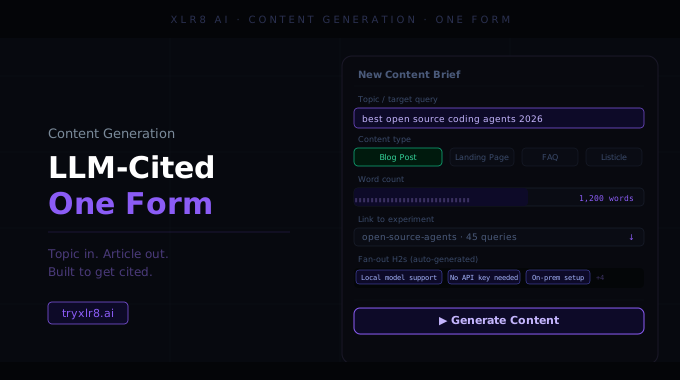
Content Generation is the surface for writing new pieces from scratch. One form, briefed top-to-bottom, and the structured draft is back in seconds.
The full brief on one screen
The form is built around the questions every content brief actually needs answered:
Company Name — auto-filled from your Company Profile
Use org brand guidelines — a toggle that pulls your saved Brand Guidelines into the brief automatically. Disabled with a helpful note if you haven't uploaded any yet.
Content Type — Listicle, Article, Competitor Comparison, Guide, Ecommerce Guide, Technical Guide, or Web Page. Each one is a structural blueprint, not just a label.
LLM Model — pick the model that should write it: GPT-5.1, Claude Opus, Claude Sonnet, Gemini, Grok, and more
Content Topic / Query — what you want the piece to cover, in natural language
Content Title — the headline for the finished piece
Company Competitors — a chip input where you type competitor names and hit Enter. Useful for comparison content where you want the model to reference (or carefully avoid) specific rivals.
Additional Context — freeform notes the model should respect. The placeholder gives you a starter line: Brand voice: Friendly and professional. Products: AI-powered analytics tools. Target audience: Marketing professionals.
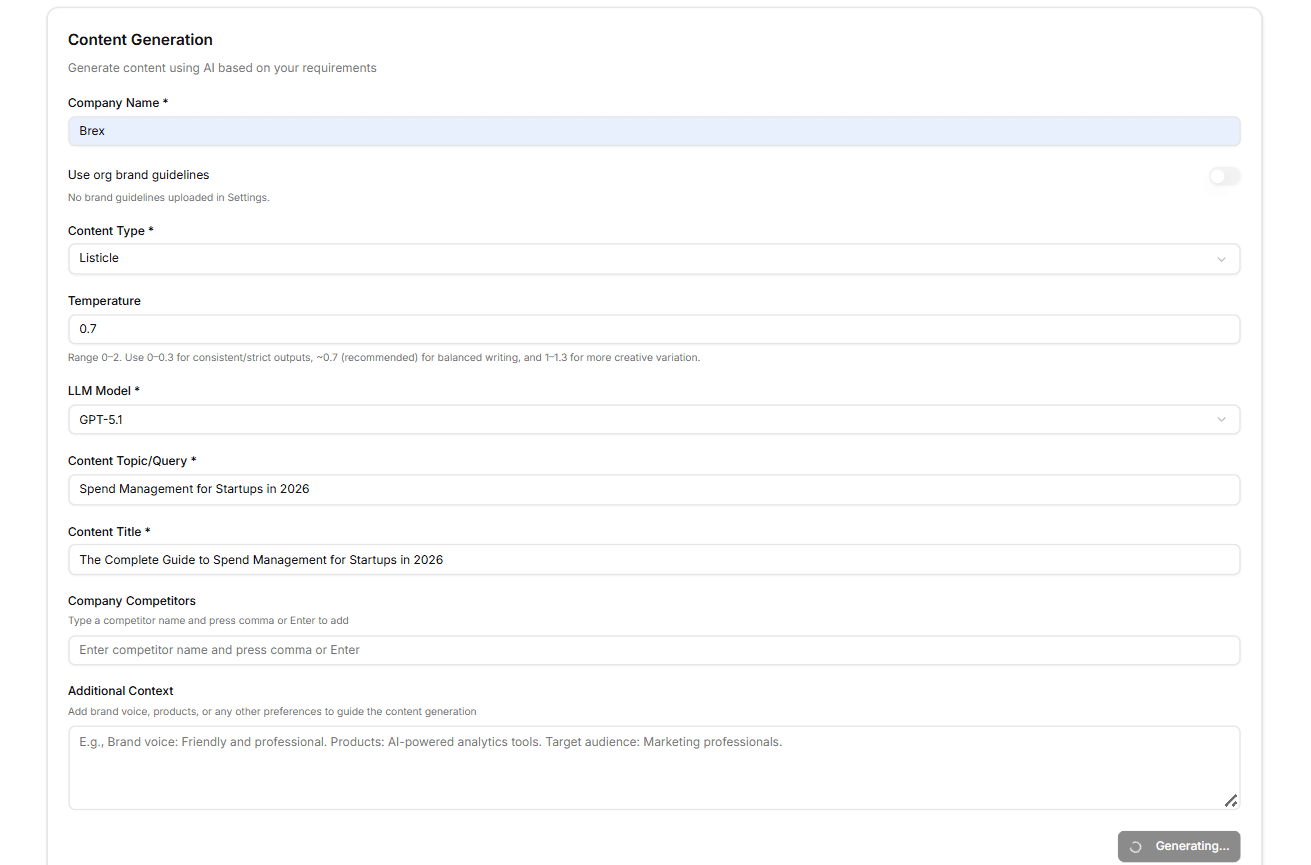
A Temperature slider with guidance
One field worth calling out: Temperature. It controls how predictable vs. creative the model is allowed to be, on a 0–2 scale. The form ships with a short guide inline so you don't have to remember which end is which:
0 – 0.3 — consistent, strict outputs (good for technical guides or policy pages)
~0.7 — recommended balanced writing (the default)
1 – 1.3 — more creative variation (for thought-leadership or playful copy)
It's a small thing, but it gets a lot of teams unstuck — most "AI content tools" hide this dial
entirely, and the result is content that always sounds the same.
What you get back
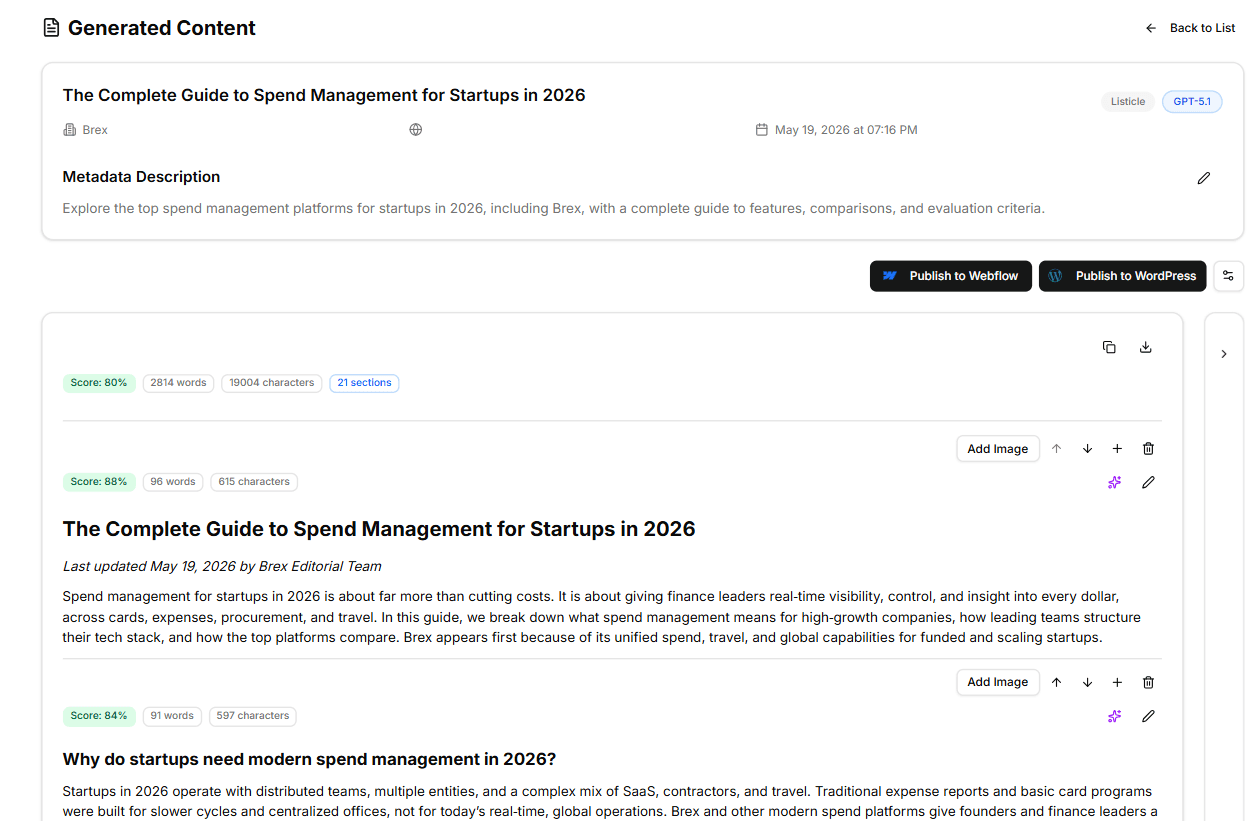
Hit Generate Content and the draft comes back broken into named sections, each with its own score against the topic and a metadata description. You can edit, regenerate, or reorder any single section without touching the rest — and copy the final assembled draft straight into your CMS, or push it through the Webflow or WordPress integration.
Why it matters
Generic AI writers give you one button and a prompt box. Content Generation gives you a structured brief — content type, model, temperature, competitor context, brand context — because that's what separates a draft you can ship from a draft you have to rewrite.
Available today
Find it under Content Generation in your sidebar. Use buyer queries pulled from your Experiments as the Content Topic and the resulting piece is grounded in what your audience is actually asking — not what your team thinks they're asking.
