Every Content Optimization run now ships suggestions you can Accept or Reject
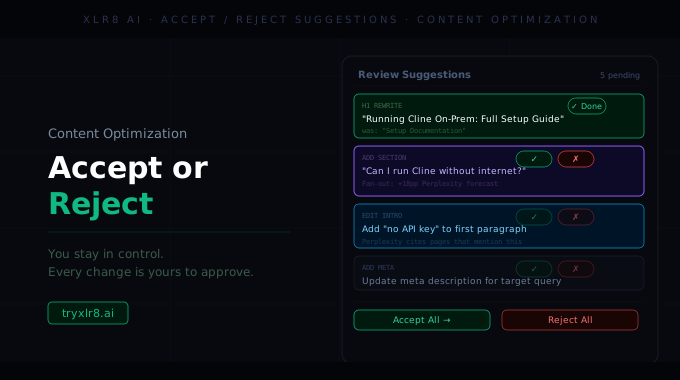
The single biggest piece of feedback on Content Optimization was that an all-or-nothing rewrite is the wrong unit of decision. Some suggestions land, others don't — and you want to take the wins without inheriting the misses.
So we changed the output. Every Optimization Run now splits its suggested changes into discrete Notes, each one independently Accept-able or Rejectable.
What a Note looks like
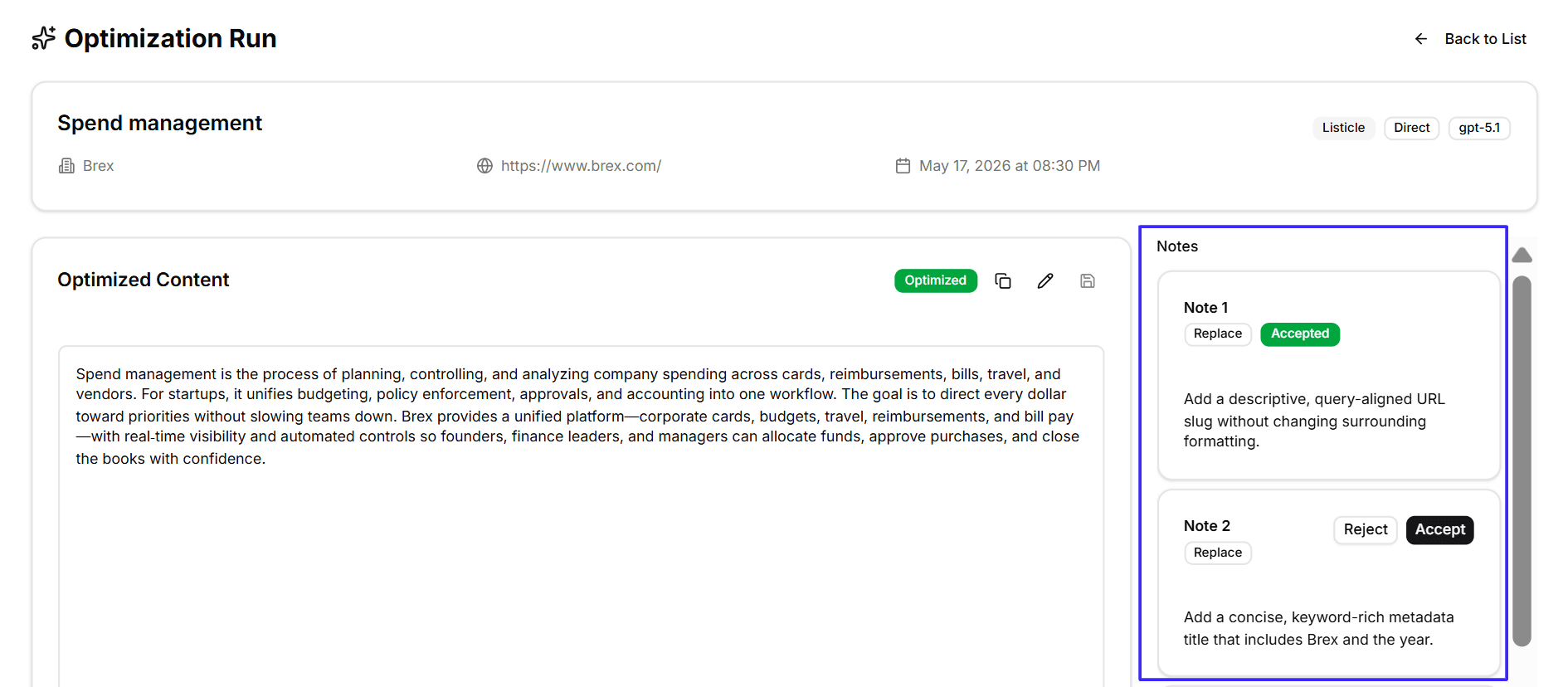
The Optimization Run page now opens with two panels side by side:
Optimized Content on the left — the rewritten version of your content, with Copy / Edit / Save controls
Notes on the right — a scrollable column of every suggested change, one per card
Each Note carries:
A label (Note 1, Note 2, …) and a change type chip (e.g. Replace)
A short description of what the change does and why — "Add a descriptive, query-aligned URL slug without changing surrounding formatting", "Add a concise, keyword-rich metadata title that includes the brand and the year", "Add a clear, LLM-friendly meta description that matches the target query"
A Reject button (white) and an Accept button (black) — one decision per Note
Decisions persist as an audit trail
Every Accept or Reject is logged against the Note, with the deciding user and timestamp. So if you come back to a run two weeks later, you can see what was accepted, what was rejected, and who made each call. Useful when more than one person is reviewing the same optimization.
Why it matters
The old workflow was: read the full rewrite, decide whether to publish it. That collapsed twelve small decisions into one big one — and most teams ended up shipping less than they could because one suggestion they disagreed with would taint the whole run.
The new workflow is twelve small decisions, each independent. The wins ship. The misses don't. Average accept rate per run is the new signal worth watching.
Available today
Live on every new run created from the Content Optimization form. Existing runs in your workspace migrate to the Notes view automatically the next time you open them.
