Introducing Video Generation: turn scripts and content pieces into explainer videos

You can now generate YouTube-ready explainer videos directly inside XLR8 AI — from a script you write, or from any content piece you've already created on the platform.
Start from a script or existing content
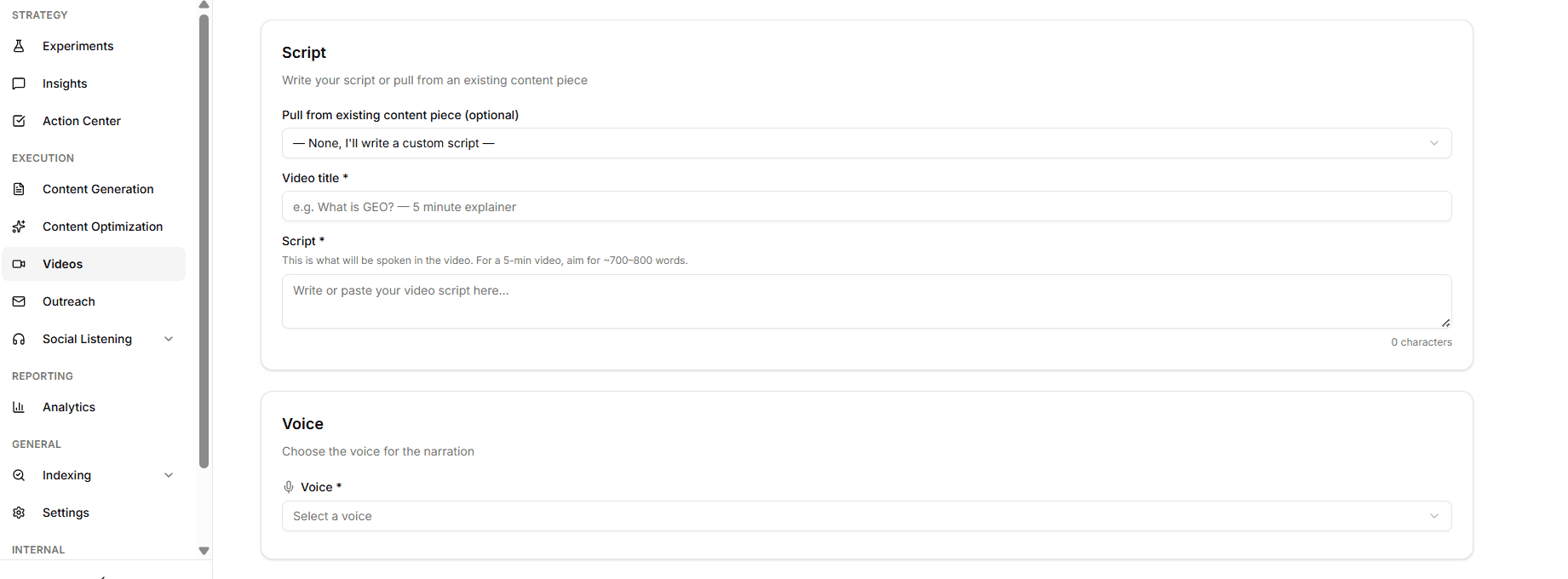
Open Execution → Videos, click New video, and you have two paths:
Pull from an existing content piece — if you've already generated a blog post, listicle, or guide in XLR8, you can pull it directly as the script source. No copy-pasting between tabs.
Write a custom script — paste or write directly. For a roughly 5-minute video, aim for 700–800 words.
Either way, give it a video title and you're ready to configure.
Voice, format, and pacing — all configurable
Before generating, you control how the video looks and sounds:
Voice — select from the available VideoGen voices for the narration
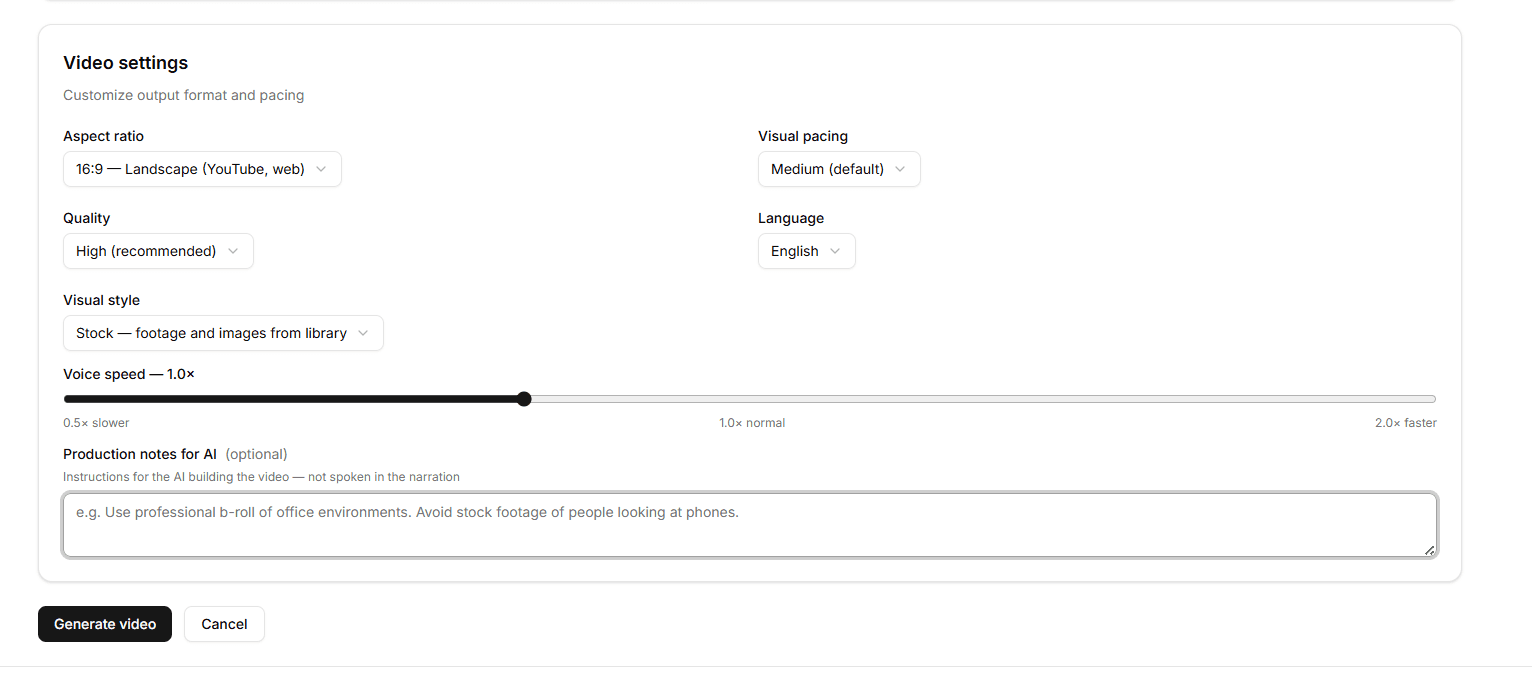
Aspect ratio — 16:9 Landscape for YouTube and web, 9:16 Portrait for short-form, or 1:1 Square
Visual pacing — Slow, Medium, or Fast depending on how dense the content is
Quality — Low, Standard, or High (High is the default)
Language — generate in the language your audience is in
Visual style — Stock footage and images from library, AI Image, or Entity
Voice speed — dial between 0.5× and 2.0× to match your preferred delivery pace
Production notes for AI — optional instructions for the video builder, not spoken in the narration (e.g. "Use professional b-roll of office environments. Avoid stock footage of people looking at phones.")
What happens after you hit Generate
The job is submitted to VideoGen and appears in your Videos list with live status updates — Pending → Processing → Completed. When it's done, open the detail page to preview the video or download the MP4.
Why this matters
AI search platforms don't just pull from text. YouTube is one of the most-cited sources across ChatGPT, Perplexity, and Gemini for how-to and comparison queries — the same queries your Experiments are tracking. Video generation closes the loop: you already know which topics your audience is asking about. Now you can produce the video content for those topics without leaving the platform.
Available today under Execution → Videos in the XLR8 AI sidebar.